


No Code, Real-Time, Reliable Trading
Automate TradingView to Tradovate for 24/7 Futures Trading
Trusted by thousands of traders, with a legacy of exceptional, rapid support
With experience serving over 10,000+ traders and providing fast, personal support, PickMyTrade continues to empower an active, growing community. Connect your TradingView strategies and automate trades with sub-second (<200ms) precision, no coding needed.
How To Get Started
Automate your TradingView Strategy/Indicator in just 2 minutes. No WebAPI required, no credit card needed. Start your 5-day free trial now!
Sign Up & Login
Click the Sign Up button. We'll send a verification email. Verify your account and log in to get started.
Sign Up FreeConnect Broker
Connect your Tradovate account — we also support Rithmic, Interactive Brokers, Binance, and TradeStation.
Connect BrokerGenerate Alert
Click "Generate Alert". The system automatically creates alerts based on your TradingView Indicator or Strategy.
Generate AlertStart Auto Trading
Copy the generated alert to TradingView and you're done! Your automated trading is now live and ready to execute.
Open TradingView Step-by-Step: Automate Your
Trades with PickMyTrade
Why PickMyTrade?
See how we stack up against others
| Features |  PickMyTrade PickMyTrade |  |  |
|---|---|---|---|
| Pricing | $50/mo $500/yr | Up to $299/mo Up to $3,049.80/yr | Up to $340/mo Up to $3,470/yr |
| Unlimited Alerts | (1000 signals per month) | ||
| Unlimited Tickers | Only on $299/mo plan | ||
| Built for Futures Trading | Not specialized | ||
| 24/7 Live Support | 24/7 Live Support | Only on $99/mo plan | 24/7 Live Support |
PickMyTrade BEST VALUE PickMyTrade BEST VALUE (1000 signals per month)
Advanced Trading Automation Features
Experience the power of automated trading with our state-of-the-art trading automation platform. Built specifically for Tradovate futures trading automation.
Automated Trading Execution
Our platform uses advanced technology to execute automated trades with precision. Perfect for stock trading and futures trading automation.
Automated Trading Platform
Best automated trading software for automated futures trading. Our automated trading bots support unlimited strategies and tickers for comprehensive market coverage.
Auto Trading System
Fully automated trading bot with auto trade execution. Set up your automated trading strategy and let our system handle everything 24/7.
TradingView Integration
Seamless TradingView to Tradovate connection. Auto trade your TradingView strategies with our automated trading software for futures and stocks.
Unlimited Automated Trading
Best automated trading bot with unlimited trades, accounts, and strategies. Perfect for day trading bots and automated futures trading systems.
Best Futures Trading Platform
Industry-leading futures trading platform with automated futures trading capabilities. Best broker for automated trading with Tradovate integration.
Featured Prop Firms
Connect your Tradovate-powered prop firm accounts to PickMyTrade. Use our Automation or Copier solutions for seamless trading.
| Prop Firm | Platform(s) | Account Types | Status | Actions |
|---|---|---|---|---|
 Apex Trader Funding Apex Trader Funding | Rithmic, Tradovate | Evaluation, Funded, PA | Supported | |
 Alpha Futures Alpha Futures | Tradovate | Evaluation, Funded | Supported | |
 Blue Guardian Futures Blue Guardian Futures | Tradovate | Evaluation, Funded | Supported | |
 FundedNext Futures FundedNext Futures | Rithmic, Tradovate | Evaluation, Funded | Supported |
9+ prop trading firms supported with Tradovate integration
Master TradingView Automation
The definitive guide to automating your TradingView workflow with PickMyTrade and Tradovate. Learn everything from setup to advanced multi-account management.
5 Risk Management Methods with Real Examples
Strategy vs Indicator Workflow Decision Tree
Multi-Account Trading & Manual Trade Copier
Troubleshooting & Common Mistakes to Avoid

TradingView
Your Signals
PickMyTrade
Automation Engine

Tradovate
Live Execution
15+
Sections
5
TP/SL Methods
Step-by-Step
Instructions
Real
Examples
Struggling With These Common Trading Problems?
Stop letting these issues hold you back from profitable trading
Missed Trade Signals
Can't monitor charts 24/7? Miss profitable trades while you sleep, work, or spend time with family?
Emotional Trading Decisions
Fear and greed ruining your strategy? Second-guessing every trade and breaking your own rules?
Slow Manual Execution
Losing money to slippage? By the time you click, the price has moved against you?
Complex Coding Required
Other platforms require programming skills? Stuck paying developers thousands for custom bots?
Inconsistent Results
Great strategy but can't stick to it? Human error causing unexpected losses and missed opportunities?
Expensive Alert Services
Paying per alert or per ticker? Costs adding up fast as you scale your trading strategies?
Ready to Eliminate These Problems Forever?
Start Your Free 5-Day Trial NowJoin 10,000+ traders who've solved these problems • No credit card required
Simple, Risk-Free Pricing
Start your 5-day free trial now. All plans include unlimited trades, unlimited strategies, and Live Chat + Discord + Email (< 24h) support. No credit card required!
Secure Payment
Bank-level encryption. Your payment information is 100% secure.
Live Chat + Discord + Email (< 24h)
Our expert team is always here to help you succeed with automated trading.
Have questions about our pricing?
View FAQ & DocumentationA Global Favorite Among Traders
- Users Served
- 10,000+
- Executed Transactions
- 5M+
Frequently Asked
Questions
Have questions? Our FAQ section has you covered with quick answers to the most common inquiries.
No, PickMyTrade operates as a cloud-based automation service. Your alerts will continue to execute even if you are logged out unless you manually pause them.
Yes, PickMyTrade is accessible via mobile browsers, allowing you to manage and monitor trades. However, for optimal functionality, using a desktop browser is recommended.
PickMyTrade supports multiple brokers and prop firm platforms:
Supported Brokers:
- Tradovate (demo and live accounts)
- Interactive Brokers (IBKR)
- Rithmic
- TradeLocker
- TradeStation
Supported Prop Firms:
- TopStep (via Tradovate or ProjectX)
- Apex Trading
- Bulenox
- Any prop firm using Tradovate, Rithmic, or supported broker platforms
Important: Funded/evaluation prop firm accounts are connected in "demo" mode, as they use demo credentials from the broker.
Setting up TradingView automation is a 3-step process:
Connect your broker account (Tradovate, IBKR, etc.) to PickMyTrade
Generate your alert in the PickMyTrade dashboard - you'll get a webhook URL and JSON alert code
Create an alert in TradingView:
- Paste the webhook URL in the "Notifications" tab
- Paste the JSON code in the "Message" field
- Enable "Webhook URL" option
Once configured, TradingView will send alerts to PickMyTrade, which automatically executes trades on your connected broker account 24/7.
Note: You don't need to keep TradingView open after the alert is created - it runs on TradingView's servers.
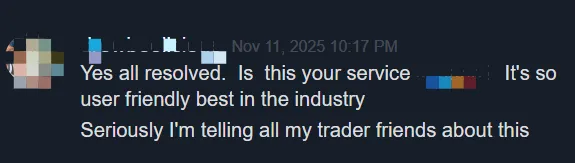
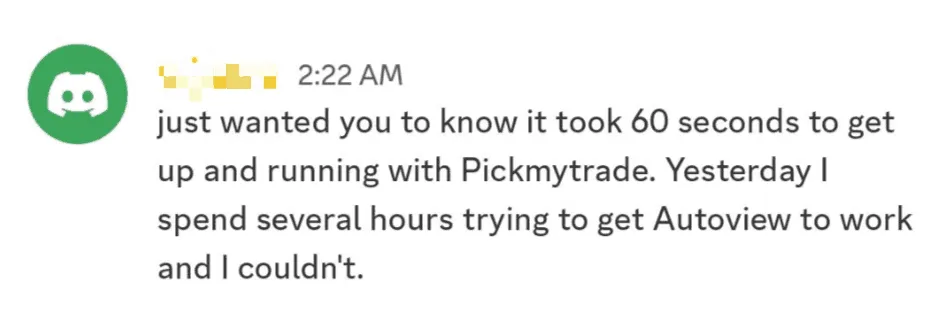
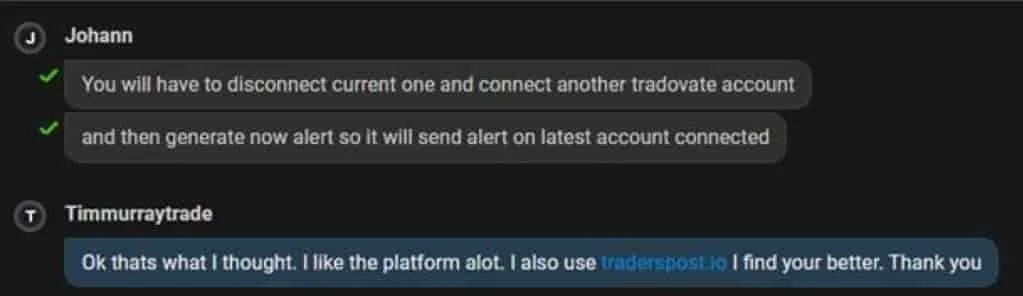
What Our Customers Say
Join thousands of satisfied traders who trust PickMyTrade for their automated trading needs.