
Vergessenen Tradovate-Benutzernamen wiederherstellen
Sie wissen nicht mehr, welchen Benutzernamen Sie bei Tradovate festgelegt haben? Hier ist der integrierte Weg, ihn zurückzuholen. Es dauert etwa eine Minute.
On This Page
Passwörter bekommen die ganze Aufmerksamkeit, doch viele Nutzer scheitern schon einen Schritt früher: Sie wissen nicht mehr, welchen Benutzernamen sie bei Tradovate festgelegt haben. Sie haben sich vor Monaten registriert, die Autofill-Funktion hat sich seitdem für Sie erinnert, und nun verlangt der Anmeldebildschirm etwas, das Sie nie auswendig gelernt haben. Tradovate bietet einen integrierten Weg, ihn zurückzuholen, und er dauert etwa eine Minute.
Kurzer Hinweis vorab: Das funktioniert für Konten, die direkt bei Tradovate geführt werden. Wenn Sie eine Prop-Firm-Evaluierung oder ein finanziertes Konto handeln, gehört Ihr Login der Firma. Springen Sie in diesem Fall direkt zum Hinweis zu Prop-Konten.
Was Sie benötigen
Nur eine Sache: Zugriff auf das E-Mail-Postfach, das mit Ihrem Tradovate-Konto verknüpft ist. Dorthin wird Ihr Benutzername gesendet, einen anderen Kanal gibt es nicht. Wenn Sie auch den Zugriff auf diese E-Mail verloren haben, klären Sie das zuerst, denn der Wiederherstellungsprozess kann Sie sonst nicht erreichen.
So stellen Sie Ihren Tradovate-Benutzernamen wieder her
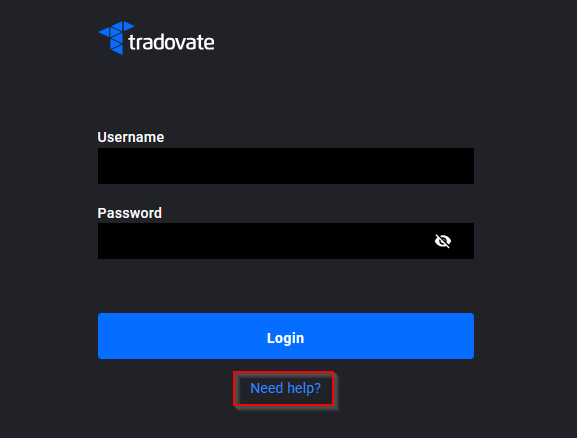
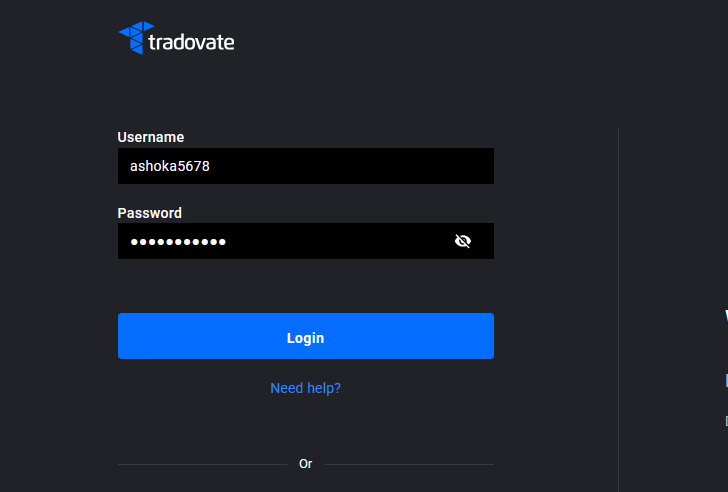
Öffnen Sie den Anmeldebildschirm und klicken Sie auf „Need Help?“
Öffnen Sie die Tradovate-Web-App oder starten Sie die Desktop- bzw. Mobile-App. Unter den Feldern für Benutzername und Passwort finden Sie den Link „Need Help?“. Klicken Sie darauf. Sowohl die Wiederherstellung des Benutzernamens als auch das Zurücksetzen des Passworts befinden sich hinter diesem Link, Sie sind also an der richtigen Stelle.
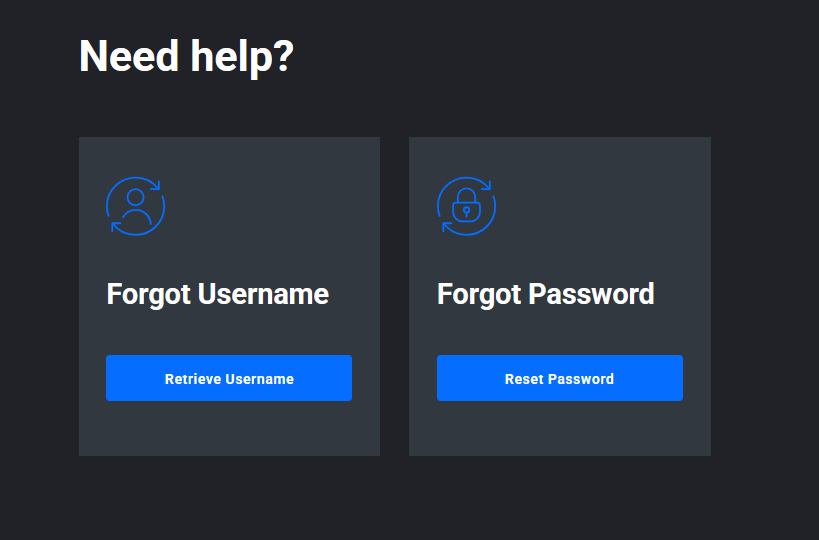
Wählen Sie „Retrieve Username“
Das Panel bietet zwei Optionen: „Retrieve Username“ und „Reset Password.“ Wählen Sie Retrieve Username. Damit finden Sie Ihren Anmeldenamen. Ihr Passwort wird hier nicht angetastet. Wenn es noch funktioniert, lassen Sie es also unberührt.
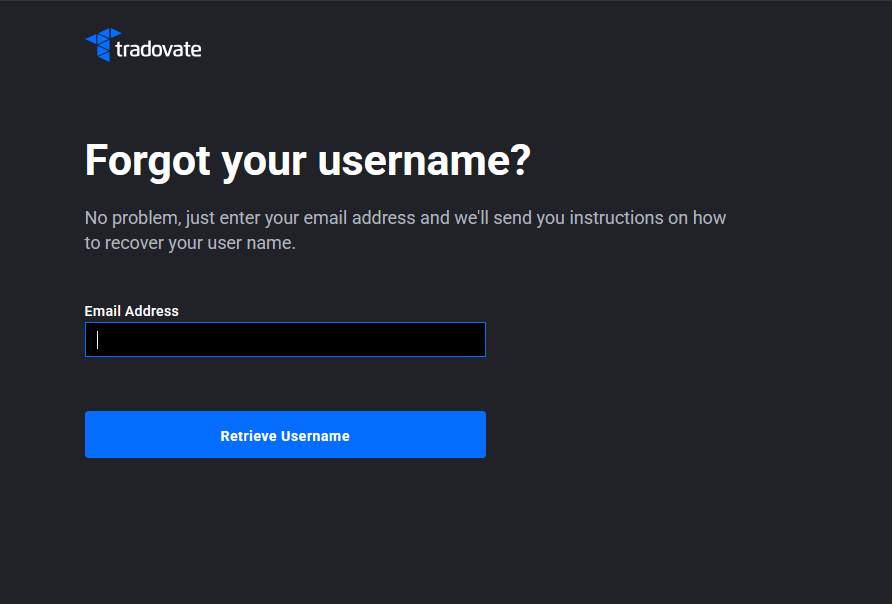
Geben Sie die E-Mail-Adresse Ihres Kontos ein und senden Sie ab
Tragen Sie die mit Ihrem Konto verknüpfte E-Mail-Adresse ein und senden Sie das Formular ab. Ein Detail, über das viele stolpern: Tradovate gleicht Ihre Eingabe mit der hinterlegten Adresse ab und sendet den Benutzernamen dorthin. Er wird nicht an ein anderes Postfach geschickt, das Sie eintippen. Es muss also genau die E-Mail-Adresse sein, mit der Sie sich registriert haben.
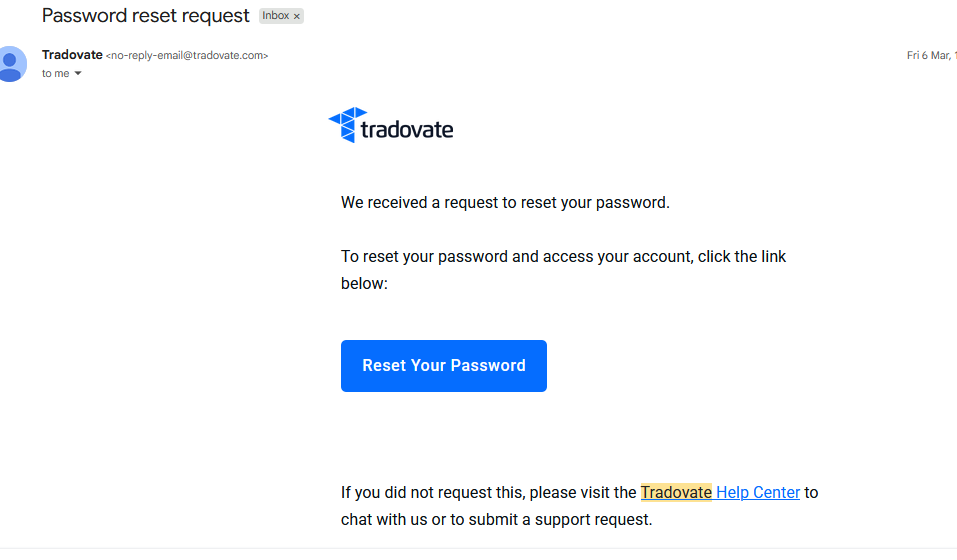
Öffnen Sie die E-Mail, um Ihren Benutzernamen zu finden
Schauen Sie in Ihr Postfach. Die Nachricht mit Ihrem Benutzernamen trifft meist innerhalb von ein bis zwei Minuten ein. Öffnen Sie sie, und Ihr Anmeldename steht direkt dort. Kopieren Sie ihn exakt. Benutzernamen können zwischen Groß- und Kleinschreibung unterscheiden, und ein einziger falscher Großbuchstabe reicht, damit die Anmeldung scheitert.
Kehren Sie zum Anmeldebildschirm zurück und melden Sie sich an
Gehen Sie zurück zur Anmeldeseite, geben Sie den wiederhergestellten Benutzernamen ein und tippen Sie Ihr Passwort ein. Wenn Sie auch das Passwort vergessen haben, ist das ein separates Problem. Führen Sie im selben Menü „Need Help?“ die Option Reset Password aus, und Sie sind wieder drin. Andernfalls sind Sie fertig.
Keine E-Mail erhalten?
Wenn nichts ankommt, gehen Sie diese Punkte durch, bevor Sie es erneut versuchen:
- Prüfen Sie Spam und Junk. Wiederherstellungs-E-Mails landen dort öfter, als man denkt.
- Stellen Sie sicher, dass Sie die registrierte E-Mail-Adresse verwendet haben. Wenn Sie sich mit einer von mehreren Adressen angemeldet haben, versuchen Sie die andere.
- Warten Sie einige Minuten, bevor Sie erneut anfordern. Wiederholtes Klicken beschleunigt die Zustellung nicht.
- Wenn Sie das Konto über einen Broker oder Partner eröffnet haben, kam die ursprüngliche Willkommens-E-Mail möglicherweise von diesem. Das ist ein guter Hinweis darauf, welche Adresse hinterlegt ist.
Tradovate wird Sie niemals nach Ihrem Passwort fragen. Jede E-Mail oder Person, die Sie dazu drängt, es herauszugeben, ist ein Betrug, egal wie offiziell sie wirkt. Die Wiederherstellung sendet Ihren Benutzernamen immer nur an das Postfach, das bereits Ihrem Konto zugeordnet ist.
Prop-Firm- oder Evaluierungskonten
Handeln Sie eine Prop-Firm-Evaluierung oder ein finanziertes Konto? Ihren Benutzernamen hat Ihnen die Firma zugewiesen, er wurde nicht über Tradovate erstellt und folgt meist dem Format der Firma statt einem selbst gewählten. Die Wiederherstellung über „Need Help?“ auf dem Tradovate-Bildschirm kann ihn nicht abrufen, weil Tradovate diesen Login nicht verwaltet. Die Schritte zur Wiederherstellung unterscheiden sich je nach Firma und Konto, prüfen Sie daher den aktuellen Prozess Ihrer Firma. Meist finden Sie ihn in der Kaufbestätigung per E-Mail oder in Ihrem Dashboard auf der Website der Firma. Wenn Sie ihn dort nicht finden, wenden Sie sich direkt an die Firma.
Mehr als ein Konto? Dann haben Sie möglicherweise mehr als einen Benutzernamen
Wenn Sie neben einer Prop-Evaluierung ein privates Konto führen oder ein Live-Konto neben einem Demo-Konto, kann es mehrere Benutzernamen geben. Retrieve Username liefert den Namen, der zur eingegebenen E-Mail-Adresse gehört. Wenn Sie verschiedene Konten mit unterschiedlichen Adressen eingerichtet haben, führen Sie die Wiederherstellung also einmal pro Postfach durch. Der von Tradovate zurückgesendete Benutzername ist jeweils der Login für das betreffende Konto.
Automatisieren Sie das mit PickMyTrade
Wieder drin und bereit zum Handeln? Hören Sie auf, den Login zu babysitten. PickMyTrade leitet Ihre TradingView-Alerts automatisch direkt an Tradovate weiter, damit Ihre Strategie weiterläuft, egal ob Sie auf den Bildschirm schauen oder nicht.
Schluss mit dem Login-Babysitting
PickMyTrade leitet Ihre TradingView-Alerts automatisch direkt an Tradovate weiter, damit Ihre Strategie weiterläuft, egal ob Sie auf den Bildschirm schauen oder nicht.
Starten Sie Ihre kostenlose 7-Tage-TestphaseDieser Leitfaden dient ausschließlich Bildungs- und Informationszwecken und stellt keine Finanz-, Anlage- oder Handelsberatung dar. Der Handel mit Futures und anderen gehebelten Produkten birgt ein erhebliches Verlustrisiko und ist nicht für jeden Anleger geeignet. PickMyTrade ist eine unabhängige Automatisierungsplattform eines Drittanbieters und steht in keiner Verbindung zu Tradovate, Inc., wird weder von dieser Firma unterstützt noch gesponsert. „Tradovate“ und alle zugehörigen Namen, Logos und Marken sind Eigentum ihrer jeweiligen Inhaber. Funktionen und Schritte der Plattform ändern sich im Laufe der Zeit. Bestätigen Sie daher stets den aktuellen Ablauf in der offiziellen Tradovate-Plattform und Dokumentation, bevor Sie handeln.