
Tradovate addEntitlementSubscription Live Required
The account clearly exists, but addEntitlementSubscription still comes back with "Live account is required." Here's what the message actually means, and the exact call order that clears it.
On This Page
- What "Live Account Is Required" Actually Means
- Why the Agreement Is the Real Blocker
- Professional vs. non-professional, briefly
- The Fix: Get the Agreement Signed, Then Assign
- Step 1, Have the user sign the non-professional market data agreement
- Step 2, Add contact information for the user
- Step 3, Confirm the signature actually synced
- Step 4, Call addEntitlementSubscription
- Step 5, Verify the user now has live data
- The Provisioning Order That Works
- Troubleshooting Table
- A Note on Prop and Evaluation Accounts
- Skip the Entitlement Wrangling with PickMyTrade
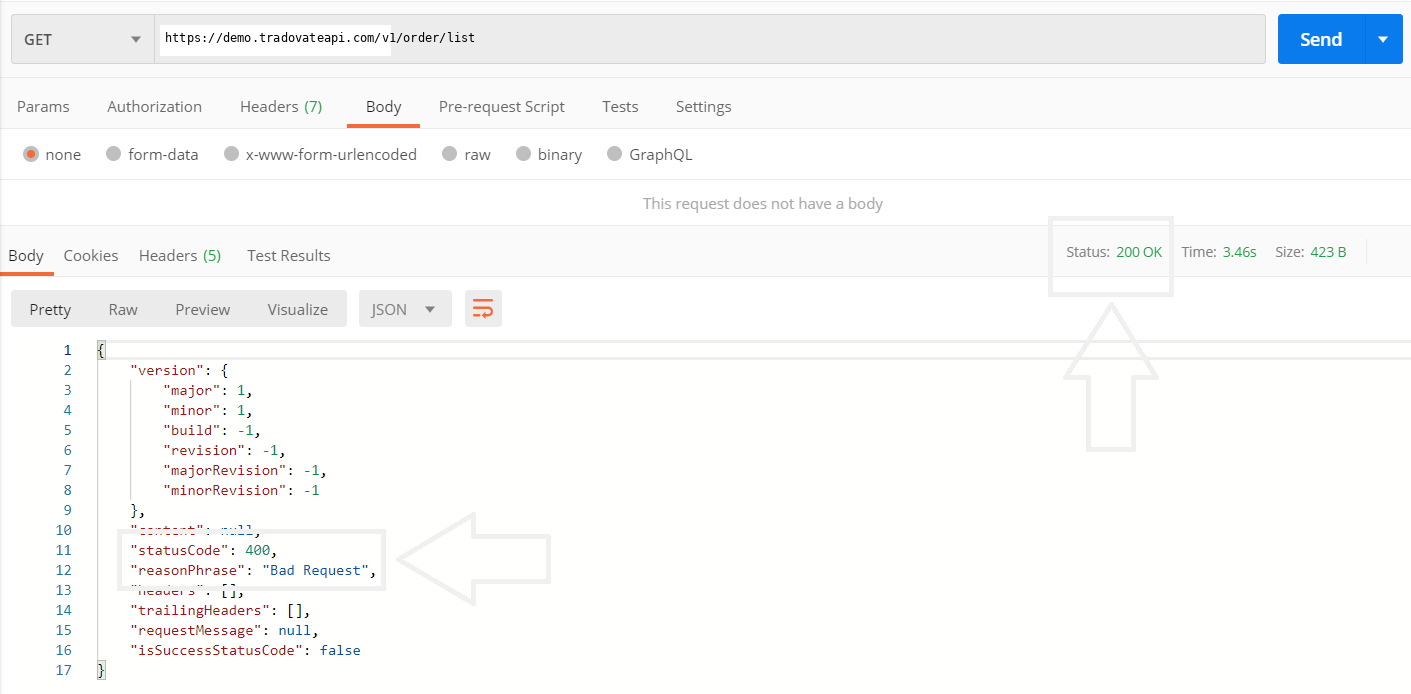
You've provisioned a user through the Tradovate API, the account is created, everything looks clean, then your call to addEntitlementSubscription comes back with Live account is required and the market-data entitlement never lands. It's one of the most confusing responses in the whole provisioning flow, because the account clearly does exist and the message points you in the wrong direction. Here's the short version: that error almost always means the user hasn't signed the non-professional market data agreement yet. Get that agreement on file, confirm it synced, and the same call goes through. Below is the full diagnosis, the exact order the calls need to run in, and how a bridge like PickMyTrade sidesteps the whole entitlement dance.
Quick Checklist
- Sign the non-professional market data agreement first, this is the real prerequisite the misleading error is hiding.
- Add contact information for the user, a skipped contact step will block or delay entitlement assignment.
- Confirm the signature synced, the entitlement check reads the saved record, not the moment the user clicked “accept.”
- Parse the response body, not just the status code, the call returns HTTP
200with the failure in anerrorTextfield. - Run the calls in order, create user → add contact info → create account → confirm agreement → assign entitlement.
- Check who owns data on prop accounts, some firms enable market data and entitlements centrally, so you may not be the one to call this.
What "Live Account Is Required" Actually Means
Take the message literally and you'll waste an afternoon. The response isn't telling you the account is missing, it's telling you the account isn't eligible to receive a live market-data entitlement yet. And the single most common reason for that is a missing market data agreement. Tradovate, like every futures broker, has to have a signed CME market data agreement on file before it can hand a user real-time exchange data. No agreement, no entitlement, and the API reports that gap with the blunt Live account is required string.
One detail trips up a lot of integrations: the request doesn't fail with an HTTP error. It returns HTTP 200, and the actual problem sits inside the JSON body as an errorText value. If your provisioning script only checks response.status === 200 and moves on, it'll log a success while the entitlement was silently never assigned, and you won't find out until the user opens a chart to a blank, delayed, or quote-less symbol. Always read the body.
Why the Agreement Is the Real Blocker
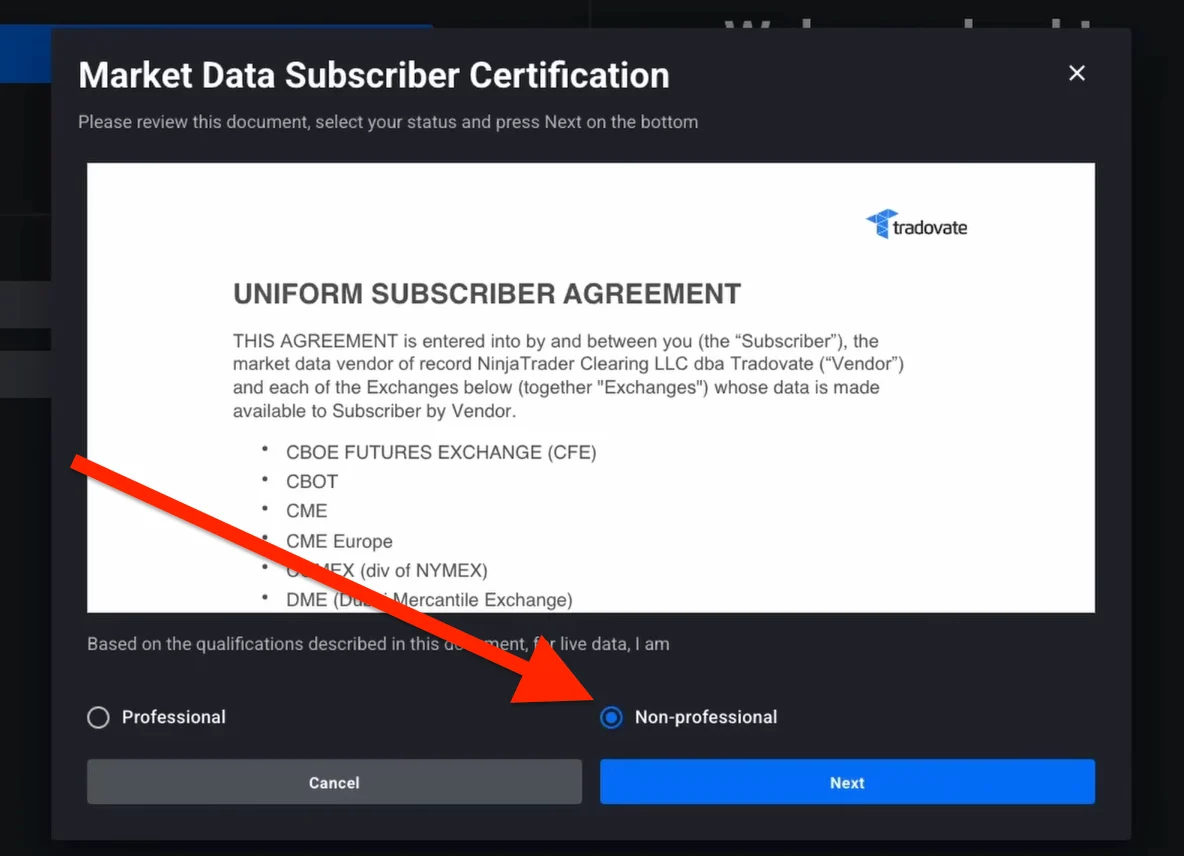
Real-time futures data doesn't come free of paperwork. CME Group requires every end user who receives live data to be classified and to accept the exchange's market data terms, that's the “agreement” in play here. Users declare whether they're professional or non-professional, and the overwhelming majority of individual retail traders fall into the non-professional bucket. That declaration plus the accepted terms is what unlocks the entitlement your API call is trying to attach.
Until the user completes that step, the account can technically exist, it can even be a simulated or evaluation account, but it can't legally be handed live exchange data. So the entitlement assignment has nothing valid to attach to, and Tradovate refuses it. This is the same root cause behind a whole family of downstream symptoms: symbols that stay delayed, charts with no quotes, and orders rejected for “no quote available.” The agreement is upstream of all of it.
Professional vs. non-professional, briefly
Non-professional status generally covers individuals trading their own money for personal purposes. Professional status applies to certain business, advisory, or data-redistribution use and carries materially higher exchange fees. The user is the one who declares it, and they're responsible for declaring accurately. If a user isn't sure which they are, point them to the current exchange criteria rather than guessing, the fee difference is real and the rules change.
The Fix: Get the Agreement Signed, Then Assign
Step 1, Have the user sign the non-professional market data agreement
This is the step that clears the error. The agreement is presented inside the Tradovate platform the user logs into, usually surfaced during first login, in the account or agreements area, or the moment they try to turn on market data. The user reviews it, declares non-professional status, and accepts. Exact menu wording shifts between platform versions, so if you're documenting this for your own users, confirm the current label in the live app rather than hard-coding an old path.
Step 2, Add contact information for the user
Before the entitlement will assign cleanly, the user needs contact information on file. If you skip this during provisioning, the user gets prompted for it on first login, and until it exists, entitlement assignment can stall. Populate it as part of your setup flow so nothing downstream waits on it.
Step 3, Confirm the signature actually synced
Here's the subtle part. The entitlement check doesn't read the moment the user clicked “accept,” it reads the saved, synced account record. Give the signature a beat to propagate and re-sync the user's state before you retry. Firing addEntitlementSubscription in the same millisecond the user accepts is a reliable way to get the same error again on a race condition. Confirm the agreement shows as signed in the synced data first.
Step 4, Call addEntitlementSubscription
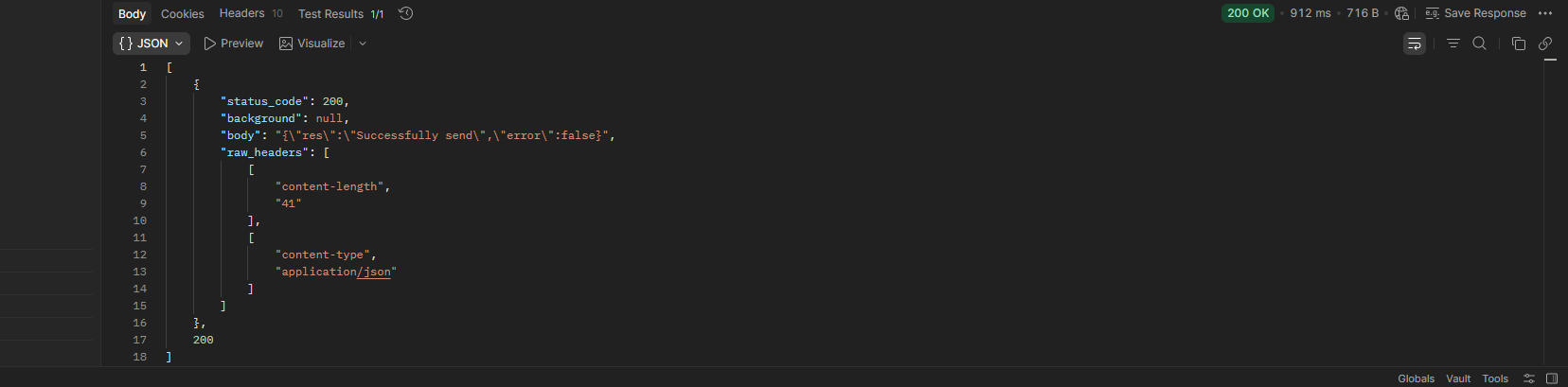
With the agreement signed and synced and contact info in place, assign the entitlement. Now the call has a valid, eligible account to attach to and it returns cleanly. Re-check the response body, a success won't carry an errorText. If you're batch-provisioning, only mark a user “done” after you've verified the body, not the status code.
Step 5, Verify the user now has live data
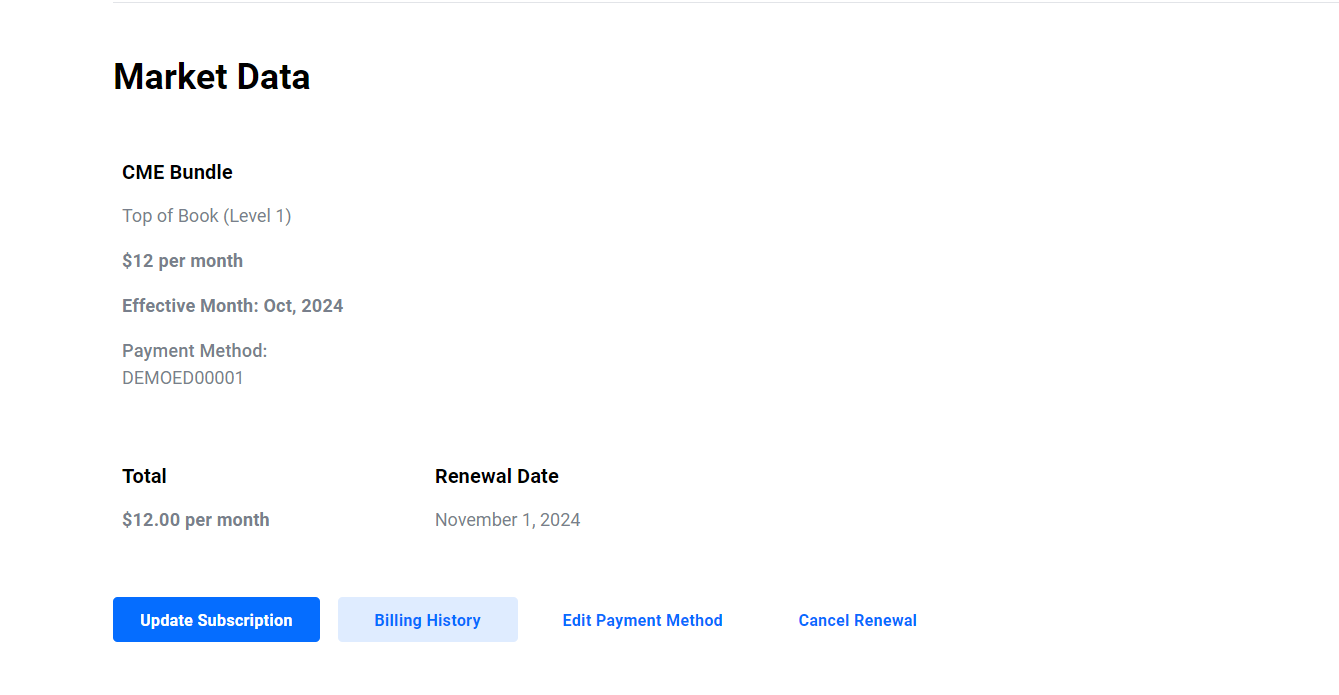
Close the loop by confirming the user actually sees real-time quotes. Have them open a front-month symbol and check that it's live rather than delayed. If the entitlement assigned but the user still sees delayed data, the market-data subscription side may need attention too, entitlement and an active data subscription are related but not identical, and both have to be right for a clean live feed.
The Provisioning Order That Works
Nearly every “Live account is required” ticket traces back to running these calls out of order or skipping one. Keep the sequence intact:
| Step | What you do | Why it matters |
|---|---|---|
| 1. Create the user | Provision the user record | Nothing attaches without a user to attach to |
| 2. Add contact information | Populate the user's contact details | Missing contact info stalls entitlement assignment |
| 3. Create the account | Create the trading/evaluation account | The entitlement is assigned against a real account |
| 4. Confirm the data agreement | User signs; you verify it synced | The actual prerequisite behind the error message |
| 5. Assign the entitlement | Call addEntitlementSubscription | Now succeeds because the account is eligible |
Troubleshooting Table
| Symptom | Meaning | Fix |
|---|---|---|
200 with errorText: Live account is required | Market data agreement not signed yet | Have the user sign the non-professional agreement, then retry |
| Call “succeeds” but data stays delayed | Your code checked status, not body | Parse the response body for errorText before treating it as done |
| Fails immediately after the user accepts | Signature hasn't synced yet | Re-sync the user state, then call the endpoint |
| Fails even with the agreement signed | Contact info missing or wrong account targeted | Add contact information; confirm you're using the right account |
| Entitlement assigns but quotes are still delayed | No active market-data subscription | Confirm a real-time exchange subscription is active for the user |
| Prop/eval account won't take the entitlement | Firm controls data centrally | Check the prop firm's rules; they may enable data for you |
A Note on Prop and Evaluation Accounts
Evaluation and simulated accounts still route live exchange data, so the agreement requirement doesn't go away just because no real money is on the line. What changes is ownership. Plenty of prop firms manage market data and entitlements centrally as part of the account they issue you, in those cases you shouldn't be calling addEntitlementSubscription at all, and doing so can conflict with how the firm provisions data. Rules vary by firm and account type, so confirm your firm's current process before you provision entitlements yourself. When the firm owns the data pipeline, the fix for missing live data is a support request to them, not an API call from you.
Skip the Entitlement Wrangling with PickMyTrade
If your goal is simply to trade your TradingView signals on a live Tradovate account, not to run a provisioning pipeline, PickMyTrade handles the broker-side plumbing so you never touch entitlement calls:
- Managed connection, the data-agreement and entitlement state your account carries is respected before an order is ever sent, so you're not debugging
errorTextin a raw API response. - Alert-to-order routing, TradingView alerts flow straight to your Tradovate account without you writing or sequencing API calls.
- Entitlement & risk awareness, orders respect your account's data state and prop-firm limits instead of bouncing on a missing prerequisite.
- Multi-account sync, mirror one signal across several accounts without re-solving provisioning for each.
Skip the Entitlement Wrangling
Link your alerts and trade live on Tradovate without writing or sequencing a single entitlement API call.
Start Your Free 7-Day TrialFrequently Asked Questions
The wording is misleading. In practice the call fails because the user hasn't signed the non-professional market data agreement yet. Until that agreement is on file, Tradovate treats the account as not eligible to receive the market-data entitlement, and the endpoint returns that message. Get the agreement signed, confirm it synced, then retry the call.
It's presented inside the Tradovate platform the user is logging into, typically under the account or agreements area, and it also surfaces during first login or when they try to subscribe to market data. The user declares non-professional status and accepts the CME market data terms. Exact menu labels shift between platform versions, so confirm the current path in the live app.
Tradovate returns HTTP 200 and carries the problem in the response body as an errorText field reading 'Live account is required'. If your code only checks the HTTP status code, it will look like a success while the entitlement was never assigned. Always parse the body for errorText, not just the status.
Create the user, add their contact information, create the account, confirm the market data agreement is signed, and only then call addEntitlementSubscription. Skipping the contact info or agreement step is the usual reason the entitlement call bounces.
Most individual retail traders qualify as non-professional, which is the status this workflow expects. Professional classification applies to certain business, advisory, or redistribution use and carries higher exchange fees. The user is responsible for declaring accurately; when unsure, they should check the current exchange criteria.
Yes. Even evaluation and simulated accounts route live exchange data, so the market data agreement still has to be signed before the entitlement will assign. What varies is who is allowed to trigger it, some prop firms handle data and entitlements centrally, so check the firm's rules before provisioning it yourself.
Give the signature a moment to propagate and re-sync the user state before retrying, since the entitlement check reads the synced record, not the click. Also confirm you added contact information for the user and that you're targeting the right account. If it still fails after a clean sync, the account may not be fully activated yet.
This guide is for educational and informational purposes only and is not financial, investment, or trading advice. Trading futures and other leveraged products carries a substantial risk of loss and is not suitable for every investor. PickMyTrade is an independent third-party automation platform and is not affiliated with, endorsed by, or sponsored by Tradovate, Inc. “Tradovate” and all related names, logos, and trademarks are the property of their respective owners. Platform features and steps change over time, so always confirm the current process in the official Tradovate platform and documentation before acting.