
Tradovate Sim/Replay Candle Chart Freezes
The DOM keeps ticking but the candles just stop, or new bars print an open with no high, low, or wick. Here's why the chart feed stalls in sim and replay, and the restart-and-contract fix that actually holds.
On This Page
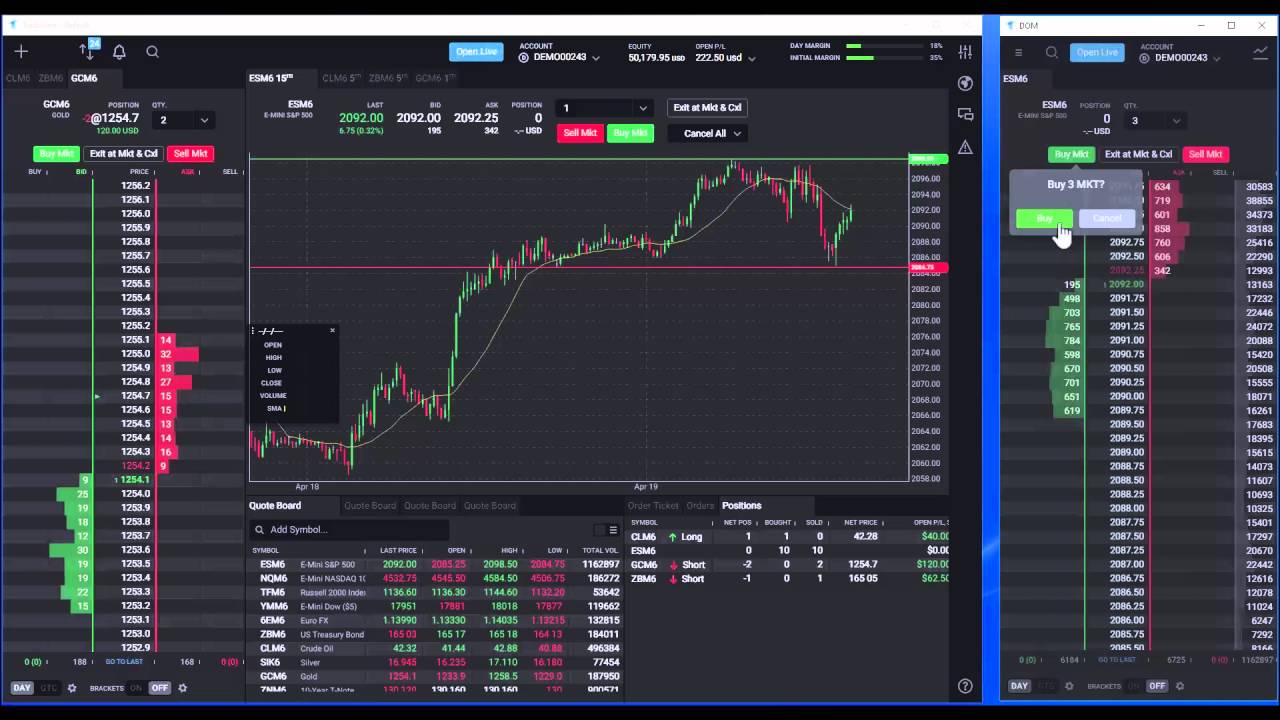
You're deep in a replay session or grinding the sim, and the candles just… stop. The current bar sits there half-formed, or every new bar prints a flat open with no high, no low, no wick. Flip over to the DOM and it's alive, quotes rolling like nothing's wrong. Look back at the chart and it's a still photo. That split, a moving order book next to a dead chart, is the exact signature of this bug.
Here's the short version before the detail: the quickest reliable recovery is a full browser restart, close the browser (or the desktop app) completely, reopen it, reconnect to your session, and reload the chart. That re-establishes the chart's data feed and clears the freeze almost every time. Two habits make it far less likely to happen at all: replay recent dates (roughly the last two weeks of data behaves far better than older history), and load the correct active contract month instead of an expired or continuous symbol. Everything below unpacks why the freeze happens and how to keep it from eating your practice sessions.
Quick Checklist
- Restart the browser or desktop app fully, then reconnect. This is the recovery that actually holds, a plain refresh often isn't enough.
- Nudge it first if you're mid-analysis. Switch the chart to another symbol and back, change the timeframe, or flip chart tabs, candles usually repaint for a moment.
- Replay recent data. Sessions from about the last two weeks stall far less than older ones.
- Load the correct contract month. Use the specific expiration that was trading that day, not a continuous or expired symbol.
- Keep long replays shorter. Freezes pile up after 30–60 minutes of continuous replay on older contracts, break it into chunks.
- Confirm market data for the symbol. A missing or delayed data subscription can leave bars half-drawn.
- Check the release notes and status. Some freezes are platform-side and clear only when Tradovate ships a fix.
What's Actually Happening Under the Hood
The chart and the DOM don't share a data path, and that's the whole story. The DOM is wired straight to the live quote stream, every bid, ask, and print. The chart is built differently: it pulls a block of historical bars, then layers streaming updates on top to grow the current candle and start new ones. In sim and market replay, those candles come from a replay/history feed that's simply more delicate than the raw quote stream, and it gets more delicate the further back in time you go.
When that bar feed stalls, the DOM carries on because it's on a different pipe, but the candles freeze. If the freeze catches a bar mid-formation, you get the tell-tale symptom people describe over and over: new bars show only the open price, because the tick updates that would fill in the high, low, and close simply stop arriving. The bar can't finish. That's also why a hard restart works, reopening the app rebuilds the chart session and reconnects the feed from scratch, so the bars start populating again.
A frozen chart is a display and data problem, not a money problem, but don't trade off it. If the candles are stale, live price could be well away from where the last bar shows. Read the real price off the DOM or the positions module before you act, and restart to get an honest chart back.
One more thing worth knowing: this isn't always on your machine. Waves of frozen-candle reports have lined up with new platform releases and then been fixed in a later Tradovate update. If a restart and a recent contract don't help and every symbol freezes at once, you may be waiting on a server-side fix rather than chasing a local one.
Fix It: Restart, Reconnect, Reload
Nudge the chart (buys you a moment)
If you just need the current bar to catch up without blowing away your layout, force the chart to redraw. Change the symbol to something else and switch straight back, flip the timeframe up or down a notch, or click between chart tabs. The candles typically repaint and update for a bit. Treat this as a stopgap, it's fast, but the freeze tends to creep back, so it's not a substitute for the real reset.
Restart the browser or desktop app completely
This is the fix that sticks. Don't just hit F5, close the browser window (or quit the desktop app) entirely so the session is fully torn down, then open it again. A complete restart clears the wedged chart feed and forces a clean reconnection. On the web platform, closing every Tradovate tab and reopening one fresh does the job; on desktop, quit the app from the tray or task manager if it's unresponsive, then relaunch.
Reconnect and reload the chart
After the restart, log back in, select your sim or replay account, and reopen the chart module. Give it a second to pull history and start streaming, the current bar should grow tick by tick again, with proper highs, lows, and wicks. If you were mid-replay, restart it from the point you need; the bars should populate cleanly on the fresh session.
Pick the Right Contract for Replay
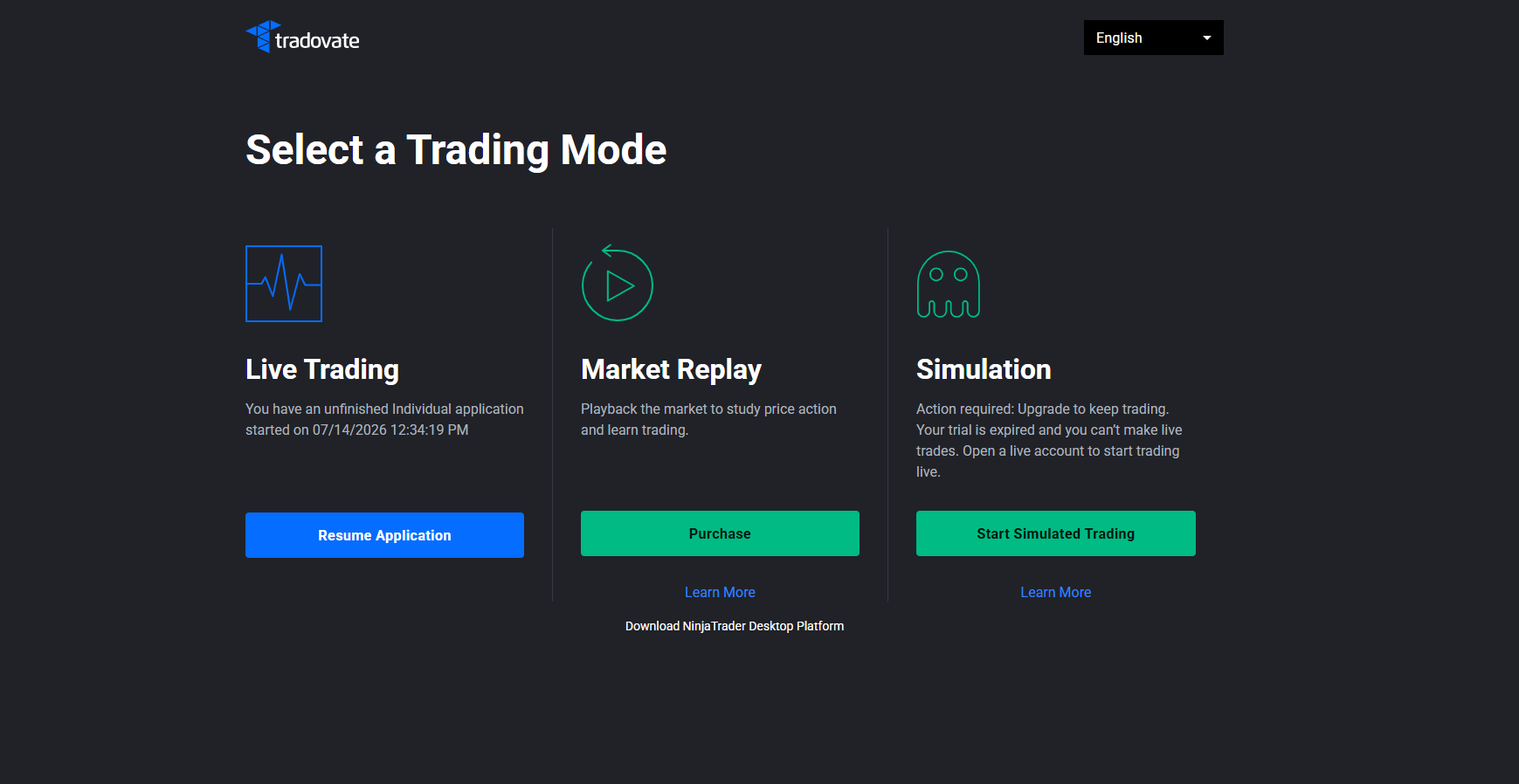
Contract choice matters more than most people expect, and it's the single biggest lever on whether replay behaves. Load the exact contract that was actually trading during the session you're replaying, the real expiration, like the March E-mini contract for a March session, not a continuous “rolling” symbol and not a month that has already expired. Point replay at the wrong or dead expiration and the candles may never populate in the first place.
Age is the other half of it. Recent data, roughly the last couple of weeks, replays smoothly. Push much further back and freezes get common, particularly on longer runs. Tradovate's Market Replay add-on gives you history stretching back years, so the data is there; it's just that the older the window, the more you should expect to restart and the shorter you should keep each session. If you're studying an old day and the candles keep locking up, break the replay into shorter blocks and restart the browser between them.
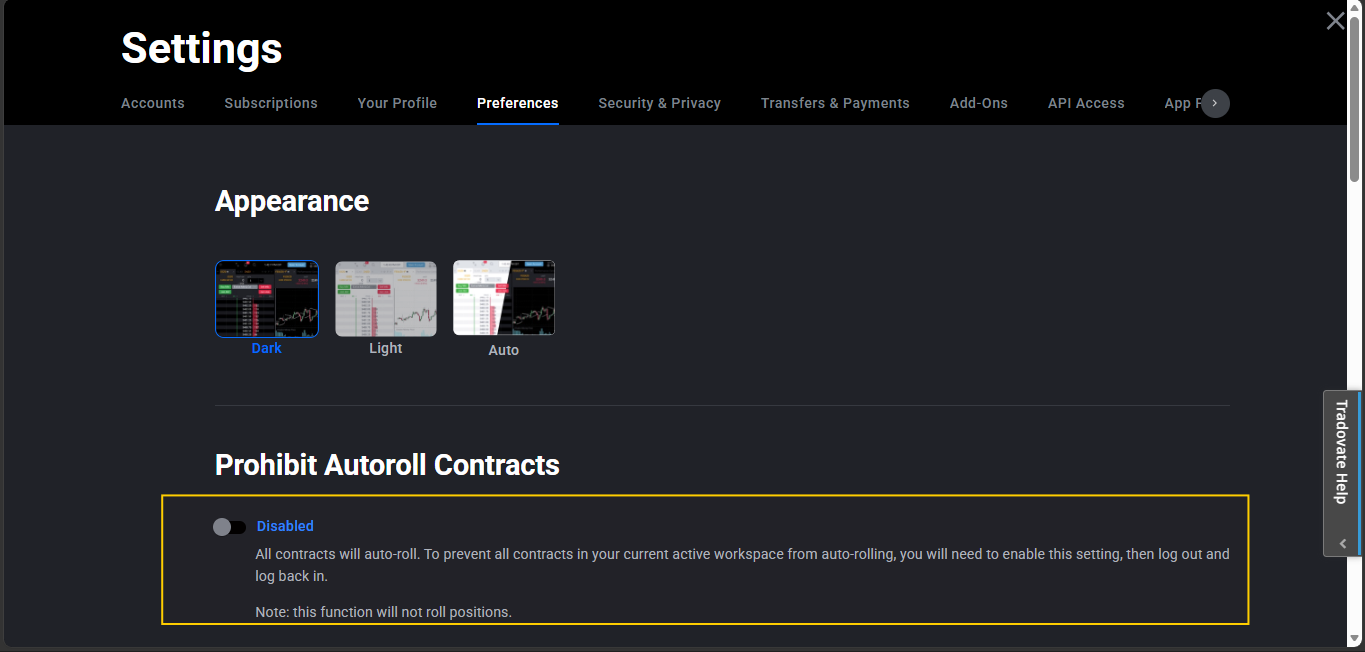
There's also a workspace behavior to know about. By default Tradovate rolls an expired symbol forward to the next active contract in your quotes, DOM, and charts, helpful for live trading, but a nuisance in replay, where you often want to sit on an old expiration on purpose. Application Settings includes a toggle to stop that auto-roll-forward; turn it off when you need Market Replay to hold an expired contract instead of jumping you to the front month. Confirm the exact wording in your current build, since Tradovate revises these menus periodically.
Troubleshooting Table
| Symptom | Likely Cause | Fix |
|---|---|---|
| Candles frozen, DOM still ticking | Chart/bar feed stalled; DOM on a separate stream | Restart the browser or desktop app fully, then reconnect and reload the chart |
| New bars print only the open, no high/low/wick | Streaming tick updates to the current bar stopped arriving | Restart to rebuild the chart session; a symbol/tab switch nudges it temporarily |
| Replay freezes on old dates after a while | Older replay data is unreliable, especially on long runs | Replay recent data, keep sessions short, restart between blocks |
| Candles never populate at all | Wrong, continuous, or expired contract loaded | Load the correct active expiration; disable auto roll-forward for expired-contract replay |
| Every symbol freezes at once, restart doesn't help | Platform-side issue, often tied to a new release | Check Tradovate release notes/status; wait for the server-side fix |
| Bars half-drawn or blank | Missing or delayed market-data subscription | Confirm a real-time data subscription is active for the instrument |
Where PickMyTrade Fits
A frozen chart in the sim is an annoyance. A frozen chart with real money on the line is a different animal, if your entries and exits depend on watching bars paint, a stalled feed can cost you a fill at the worst moment. That's the case for taking execution off the chart entirely. PickMyTrade links your TradingView alerts straight to Tradovate and runs the orders on our servers, so your strategy fires whether or not the candles on your screen are updating:
- Server-side execution, alerts route from TradingView to Tradovate through our infrastructure, so a frozen or half-drawn chart never blocks an entry or an exit.
- No manual watching required, the trade triggers off your alert logic, not off whichever bar your local chart happens to be rendering.
- Stops and targets that stick, SL/TP defined in the alert are placed on Tradovate regardless of what your display is doing, so protection isn't hostage to a stalled feed.
- Multi-account sync, mirror the same orders across every connected account at once, so nothing is left unmanaged while you restart a wedged platform.
Keep Trading Even When the Chart Freezes
Link your TradingView alerts straight to Tradovate so a frozen or half-drawn chart never stands between you and a fill.
Start Your Free 7-Day TrialFrequently Asked Questions
The chart's bar feed stalls while the rest of the platform keeps running. Charts are built from a separate historical-plus-streaming data pipeline than the live quote and DOM stream, and in sim or replay that bar pipeline is more fragile, especially on older data. When it stalls, the last candle stops updating or new candles print only an open price with no high, low, or wick. It's a session and data-feed issue, not a problem with your account, which is why a full browser restart usually clears it.
The DOM and the chart are fed by different data paths. The DOM shows the live order book straight off the quote stream, while candles are assembled from the bar/history feed. The freeze hits the bar feed only, so the ladder keeps ticking while the candles sit frozen. Seeing a live DOM next to a dead chart is the classic signature of this bug, and confirmation that your connection itself is fine.
Close the browser (or the desktop app) completely and reopen it, then reconnect to your sim or replay session and reload the chart. A full restart re-establishes the chart feed and is the most reliable recovery. For a quicker temporary nudge, switch the chart to another symbol and back, or flip between chart tabs, candles often repaint for a moment, though the freeze can return until you do the full restart.
Older replay data is where freezes cluster. Data from roughly the last two weeks tends to replay smoothly, while sessions much older than that are far more likely to stall the candles, often after 30 to 60 minutes of continuous replay. If you can, run your replay on recent dates. When you need older sessions for study, expect to restart the browser more often and keep each run shorter.
Load the specific contract that was actually trading during the session you're replaying, not a continuous symbol or an expired month. For a March E-mini S&P replay, for example, you'd use the March contract code rather than a rolling symbol. Loading the wrong or expired expiration is a common cause of candles that never populate. Tradovate can auto-roll expired symbols forward in your workspace, and there's an application setting to turn that roll-forward off when you specifically want to view an expired contract in replay.
Not necessarily, a frozen chart is a display and data-feed problem, and the DOM usually keeps working. But don't make decisions off a chart you can't trust. If the candles are stale, price may be well away from where the last bar shows. Check the DOM or the positions module for the real, current price before you act, and restart to get an accurate chart back.
It helps briefly. Switching to a different symbol and back, changing the timeframe, or flipping chart tabs forces the chart to redraw, and the candles often catch up for a moment. It's a useful stopgap when you don't want to lose your layout, but it tends not to hold. When the freeze keeps coming back, the full browser restart is the fix that actually sticks.
Often it's platform-side. Waves of frozen-candle reports have lined up with new platform releases and then been resolved by Tradovate in a later update. If a restart and a recent contract don't fix it and the freeze hits every symbol, check the Tradovate release notes or status page, you may be waiting on a server-side fix rather than anything you can change locally.
This guide is for educational and informational purposes only and is not financial, investment, or trading advice. Trading futures and other leveraged products carries a substantial risk of loss and is not suitable for every investor. PickMyTrade is an independent third-party automation platform and is not affiliated with, endorsed by, or sponsored by Tradovate, Inc. “Tradovate” and all related names, logos, and trademarks are the property of their respective owners. Platform features and steps change over time, so always confirm the current process in the official Tradovate platform and documentation before acting.