
Bookmap Gets Only Partial-Depth Tradovate Data
Your Bookmap heatmap looks thin and empty on Tradovate, and there's no setting to fix it. Here's why, and how to add full depth without dropping Tradovate.
On This Page
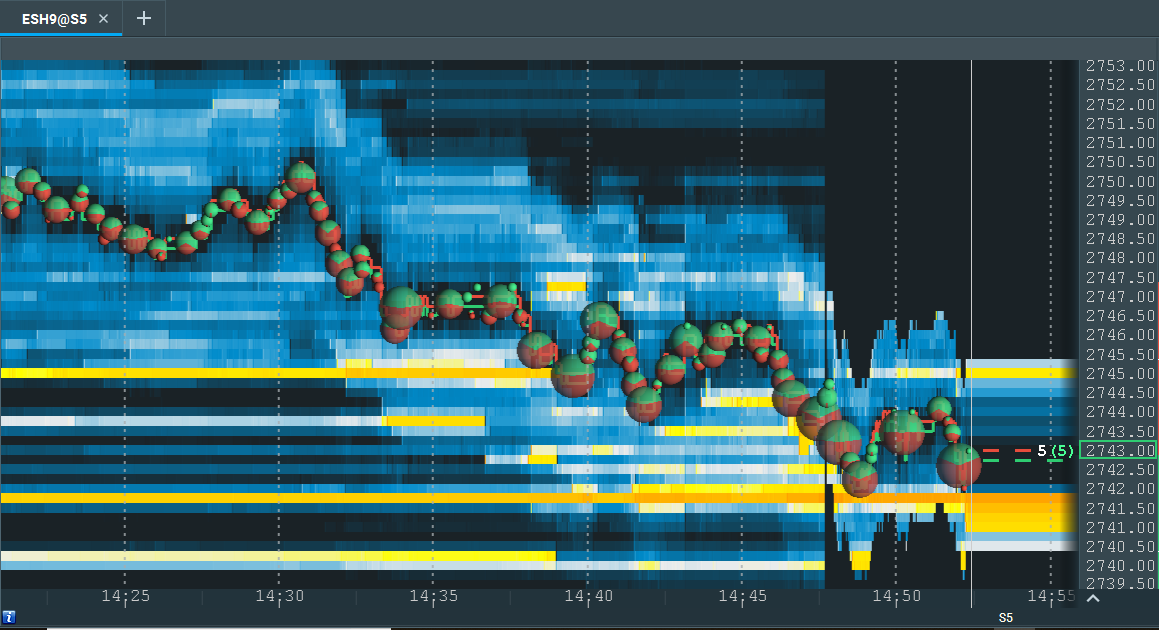
You connected Tradovate to Bookmap, loaded ES or NQ, and the heatmap looks wrong. Instead of the deep, layered liquidity map Bookmap is famous for, you get a thin ribbon of color hugging the best bid and offer and almost nothing above or below it. Your first instinct is to blame Bookmap, or hunt through Tradovate's settings for a “full depth” switch. Don't. Nothing's broken, and there's no switch to flip.
Tradovate only sends Bookmap partial-depth market data. That's a property of the feed itself, not a misconfiguration on your end. Bookmap's heatmap needs the whole order book to do its job, and a partial feed can only paint the slice it's given. The clean fix is to keep Tradovate for what it's good at, order routing, and bring in a separate full-depth data feed for the visualization. Here's exactly why this happens and how to set it up.
Quick Checklist
- Confirm the heatmap is sparse, not frozen. If you see live trades and a narrow band of liquidity around the spread, that's partial depth, not a dead feed.
- Accept that Tradovate = partial depth to Bookmap. It sends a limited part of the book, not the full ladder.
- Stop looking for a Tradovate “full depth” setting. There isn't one to enable for this.
- Keep Tradovate as your trading connection. Order routing through it is fine.
- Add a full-depth data feed: dxFeed, Rithmic, or CQG.
- Budget for depth-data fees. Full-depth CME data carries exchange and provider costs that change over time.
- On a prop or eval account, check your firm's rules first. Some restrict outside data feeds.
What “Partial-Depth Data” Actually Means
Bookmap's heatmap isn't a normal chart. It records every resting limit order sitting in the book, at every price level, and replays how that liquidity builds, pulls, and gets absorbed over time. Bright bands mark price levels stacked with resting orders; dark areas mark thin liquidity. To draw that picture honestly, Bookmap needs the full depth of market, the entire ladder of bids and offers, not just the top rungs.
Tradovate's feed to Bookmap doesn't carry the full ladder. It carries partial depth, essentially a window near the best bid and best offer. So when Bookmap tries to render the heatmap, it only has data for that narrow window. Everything further out in the book is simply missing, which is why the map looks empty a few ticks away from price. You're not looking at a rendering glitch. You're looking at all the data Tradovate handed over.
That distinction matters because the value of order-flow trading lives in the deeper book, the large resting walls, the liquidity that appears and vanishes several ticks out, the absorption that happens before price even gets there. Cut that off and the heatmap loses most of its edge. The tool is only as good as the feed behind it.
Why Tradovate Only Gives Partial Depth
This trips people up because Tradovate's own platform feels complete. You've got a DOM, you've got charts, everything looks live. But the data Tradovate exposes to an outside application like Bookmap is a different, more limited stream than what you might expect from a dedicated depth feed. For Bookmap's purposes, that stream is partial depth.
It's not a bug, a tier you forgot to buy, or a permission you can grant yourself. There's no hidden “send full depth to Bookmap” option buried in Tradovate's menus, so combing through settings is wasted time. The realistic path forward isn't to fix Tradovate, it's to pair it with a feed that was built to stream the full order book.
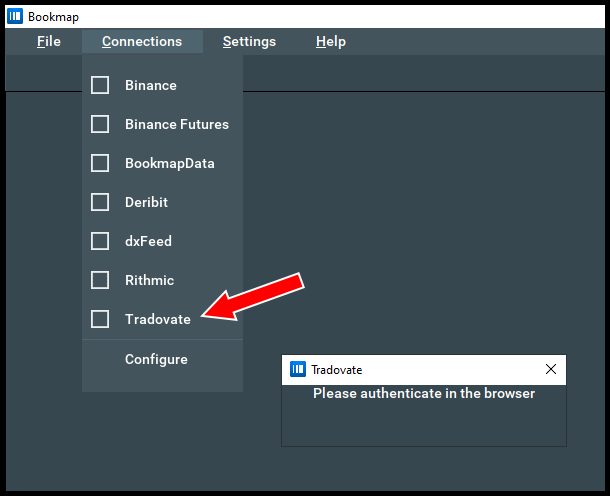
The Fix: Split Data and Order Routing
Bookmap keeps two things separate: where your market data comes from, and where your orders go. Its packages don't bundle data or brokerage, so you're expected to attach those yourself, and you can attach them from different providers. That separation is exactly what solves this. You keep Tradovate as the connection that routes and fills your orders, and you add a full-depth provider as the connection that feeds the heatmap.
Keep Tradovate as your trading connection
There's no reason to drop Tradovate. If you like its fills, fees, or it's the account your prop firm gave you, leave it in place as your order-routing connection in Bookmap. Everything about how you enter and exit stays the same. This step is really just a decision: Tradovate handles execution, not the heatmap.
Add a full-depth market-data feed
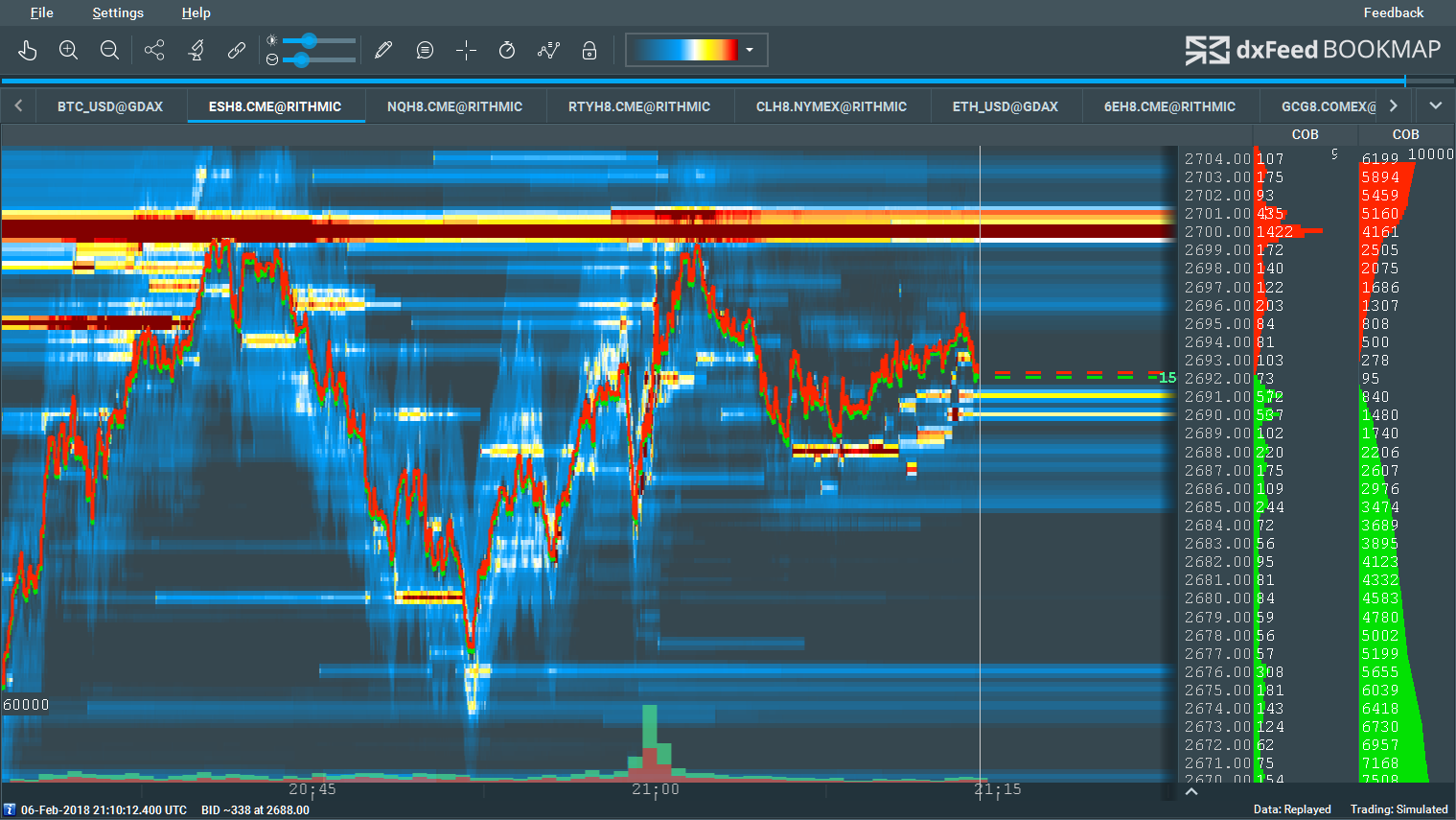
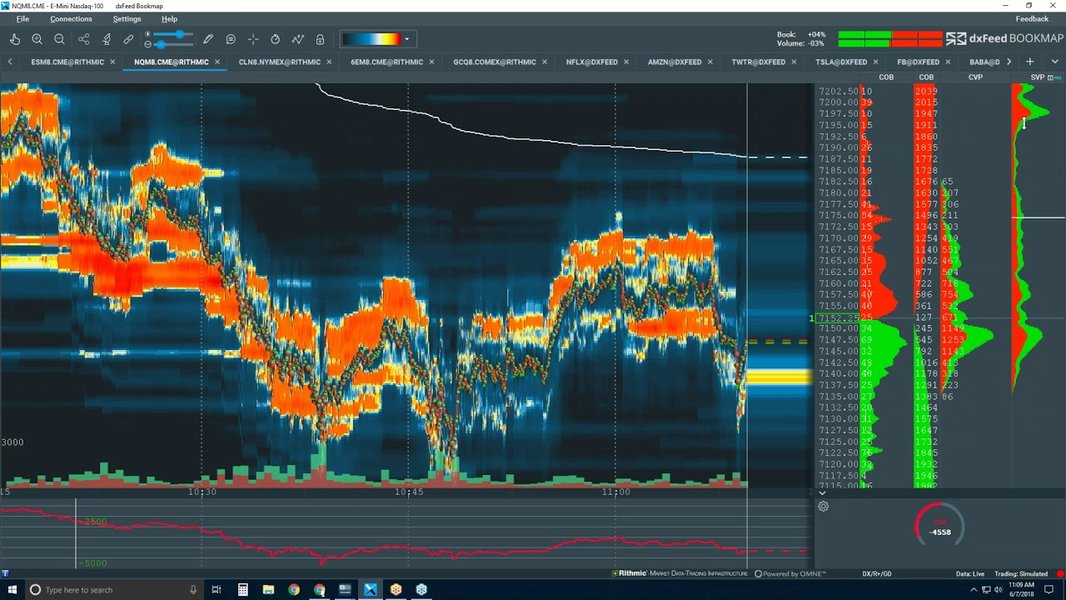
Add one of the full-depth futures data providers Bookmap supports for the visualization: dxFeed (full-depth market data), Rithmic (full depth, plus market-by-order data showing individual orders rather than just aggregated size), or CQG (CQG Continuum, full-depth market data). All three give Bookmap the complete ladder it needs; pick based on price, latency, instrument coverage, and what your platform or firm already supports.
Load the instrument on the full-depth feed
Open your futures instrument using the new full-depth data connection so the heatmap is built from the complete order book. Give it a minute to populate. Instead of a thin band around the spread, you should now see liquidity rendered several ticks, or many ticks, out on both sides, with the resting walls and pulls that make the heatmap worth watching.
Confirm orders still route through Tradovate
With two connections active, make sure Bookmap is set to send orders through Tradovate while it draws data from the full-depth feed. Place a small test order (or check a simulated one) and confirm it lands in your Tradovate account. Verify the exact toggles and labels for choosing the trading connection in your current Bookmap build, since they get updated over time.
Full-depth CME data isn't free. Expect exchange fees plus a provider charge, and the totals shift depending on the exchange, the provider, and whether you're classified as a non-professional or professional user. Confirm the current rates before you subscribe, and if you're on a prop or evaluation account, check whether your firm even allows an outside data feed first, that varies by firm and account type.
Troubleshooting Table
| What you see | What it means | Fix |
|---|---|---|
| Thin band of liquidity around the spread, empty elsewhere | Tradovate is only sending partial depth to Bookmap | Add a full-depth feed (dxFeed, Rithmic, or CQG) for the heatmap |
| Heatmap shows live trades but no deep resting liquidity | Trades come through, but the full order book doesn't | Switch the data connection to a full-depth provider |
| Can't find a “full depth” option in Tradovate | There isn't one for Bookmap; it's a feed limitation | Stop configuring Tradovate; change the data source in Bookmap |
| You want to keep Tradovate fills and fees | Trading and data are separate in Bookmap | Keep Tradovate for routing, add a separate data feed |
| Full-depth feed added but orders won't place | Trading connection isn't pointed at Tradovate | Set Tradovate as the order-routing connection in Bookmap |
| Depth data blocked on a prop/eval account | Firm controls market data on that account | Ask your firm which feeds are allowed before subscribing |
Where PickMyTrade Fits
Splitting data and execution is smart, but it also means your order flow to Tradovate has to be rock-solid on its own, separate from whatever you're using to read the tape. That's the layer PickMyTrade handles. It automates and routes your trades to Tradovate from your signals, so your execution stays reliable while you use Bookmap plus a full-depth feed purely for analysis.
- Signal-to-Tradovate automation turns your TradingView (or other) alerts into live Tradovate orders, so execution doesn't depend on the charting tool you're watching.
- Prop-firm risk filters keep automated orders inside the caps and rules of firm-managed evaluation accounts.
- Rate-limit-safe routing spaces order flow so nothing bounces off Tradovate's request limits.
- Multi-account sync mirrors the same order across every connected account at once.
Automate Your Tradovate Execution
Keep Bookmap for reading the tape and let PickMyTrade handle rock-solid order routing to Tradovate.
Start Your Free 7-Day TrialFrequently Asked Questions
Because Tradovate only sends Bookmap partial-depth data, a slice of the order book near the best bid and offer rather than the full ladder. Bookmap's heatmap paints resting limit orders across every price level over time, so with only a partial feed there's nothing to paint away from the inside market. The heatmap isn't broken; the feed is limited.
No. There's no setting inside Tradovate that turns partial depth into full depth for Bookmap. It's a characteristic of the data feed Tradovate exposes to third-party platforms, not a toggle you missed. If you need full depth, you add a different data provider rather than reconfiguring Tradovate.
Yes. Bookmap treats market data and order routing as separate services, so you can keep Tradovate as your trading connection and add a separate full-depth data connection like dxFeed, Rithmic, or CQG for the heatmap. Confirm the exact connection settings inside Bookmap, since its interface changes over time.
All three deliver full order-book depth to Bookmap, and Rithmic additionally offers market-by-order (MBO) data. Pick based on price, latency, and what your setup or prop firm already supports. Rithmic is a common futures choice; dxFeed and CQG Continuum are both solid full-depth options. Check current pricing and instrument coverage before you commit.
Usually, yes. Full-depth CME market data carries exchange fees plus whatever the provider charges on top. The exact amounts vary by exchange, provider, and your professional or non-professional status, and they change over time, so check the current rates directly before subscribing.
It can, but on a prop or evaluation account your firm controls the market data and may restrict which feeds you're allowed to use. Check your firm's current rules before you buy a separate depth subscription, since not every program lets you route Bookmap data through an outside provider while trading a firm-managed Tradovate account.
It's fine for order routing, position tracking, and reading price action near the inside market. It's just not enough to build the deep liquidity heatmap Bookmap is known for. If order-flow reading isn't your focus, Tradovate's feed may be all you need. If it is, add full depth.
No. The whole point of splitting the setup is to keep Tradovate. You route orders through Tradovate for execution and layer a full-depth data feed on top purely for the heatmap. Both run at once inside Bookmap once you configure the connections.
This guide is for educational and informational purposes only and is not financial, investment, or trading advice. Trading futures and other leveraged products carries a substantial risk of loss and is not suitable for every investor. PickMyTrade is an independent third-party automation platform and is not affiliated with, endorsed by, or sponsored by Tradovate, Inc. or Bookmap. All related names, logos, and trademarks are the property of their respective owners. Platform features and steps change over time, so always confirm the current process in the official platform documentation before acting.